
Same Models. Different Engines. Different Problems.
llama.cpp and vLLM run the same models, but they solve fundamentally different problems. One makes inference accessible on your laptop. The other makes it efficient at production scale. Here's the mental model that changed how I think about local LLM inference.
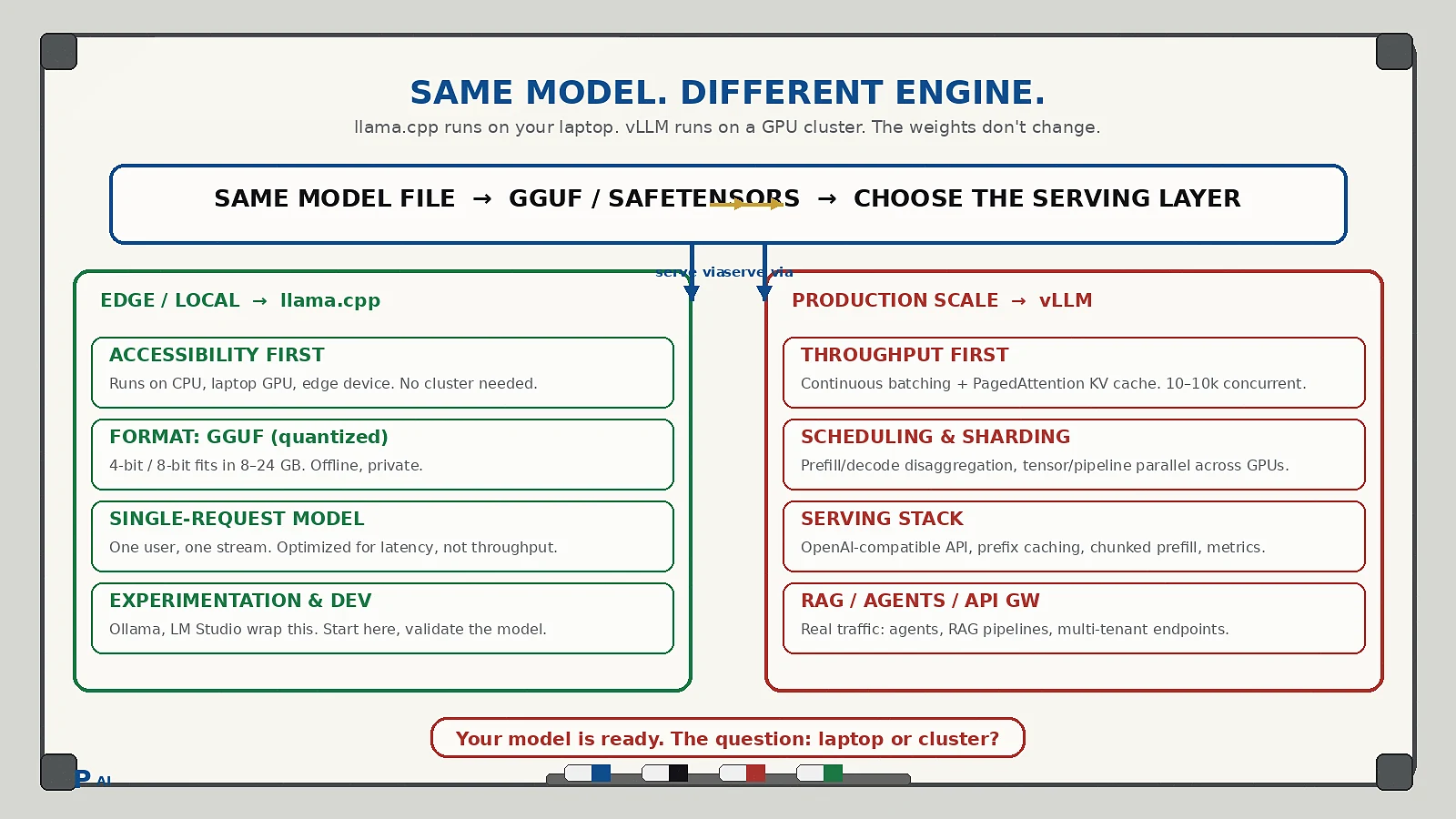
I used to think llama.cpp and vLLM were basically two ways of running the same local LLM.
Then I looked at where they actually fit in the architecture.
llama.cpp: Inference at the Edge
llama.cpp sits closer to the device.
Laptop / Edge Device → GGUF → llama.cpp → Model → Response
It's built around making inference practical on constrained hardware:
- Hardware: CPU / consumer GPU
- Models: Quantized (GGUF)
- Mode: Offline / edge inference
- Use case: Single-user experimentation, local development
vLLM: Inference at Scale
Then the workload changes. 10 users. 100 users. 10,000 requests.
Now the problem isn't "Can I run this model?" — it's "How efficiently can I serve this model?"
That's where vLLM fits:
Users / Agents / RAG → API Gateway → vLLM Inference Server →
Batching + KV Cache + Scheduling → GPU Cluster / Kubernetes → Model
The Model Doesn't Change. The Inference Layer Does.
| Layer | llama.cpp | vLLM |
|---|---|---|
| Optimizes for | Accessibility | Throughput & scale |
| Hardware | Laptop, edge, consumer GPU | GPU cluster, Kubernetes |
| Batching | Single request | Continuous batching, PagedAttention |
| KV Cache | Basic | PagedAttention (memory-efficient) |
| Scheduling | FIFO | Prefill/decode disaggregation, priority |
| Typical users | 1 | 10 — 10,000+ |
The Simplest Mental Model
Laptop → llama.cpp
Production GPU cluster → vLLM
Same model. Different place. Different scale. Different problem.
When to Use Which
Start with llama.cpp when:
- You're experimenting locally
- You need offline/private inference
- Hardware is a laptop or single consumer GPU
- Single-user or very low concurrency
Move to vLLM when:
- You're serving an API to multiple users/agents
- Concurrency exceeds what single-request inference can handle
- You need GPU utilization > 50% on expensive hardware
- You're building a RAG pipeline or agent workflow with real traffic
Common Questions
Can I use llama.cpp in production?
For internal tools, batch jobs, or very low traffic — yes. For a multi-tenant API or agent swarm, you'll hit throughput walls fast.
Can I use vLLM on a single GPU?
Yes, and it's still faster than naive llama.cpp serving because of continuous batching and PagedAttention. But the real gains show at cluster scale.
Do I need to re-quantize or change models?
No. Both can load the same GGUF or safetensors weights. The model artifacts are portable; the serving stack is what changes.
What about Ollama / LM Studio / Text-Generation-Inference?
Ollama and LM Studio wrap llama.cpp for local UX. TGI (Text Generation Inference) is Hugging Face's answer to vLLM — similar goals (batching, sharding, production serving), different implementation. The llama.cpp vs vLLM distinction still holds: local-accessible vs production-scalable.
Building something with local LLMs? Start on your laptop with llama.cpp. When the traffic shows up, graduate the inference layer to vLLM — not the model.
